 Ruwaza
Kupokea malipo ya simu kwenye tovuti yako: orodha ya hatua muhimu
Kadi, pesa ya simu au zote mbili? Unachohitaji kabla ya kuunganisha malipo, jinsi malipo yanavyopaswa kuonekana, na makosa yanayopoteza mauzo.
Na Laurence Juma · · Dakika 5 za kusoma
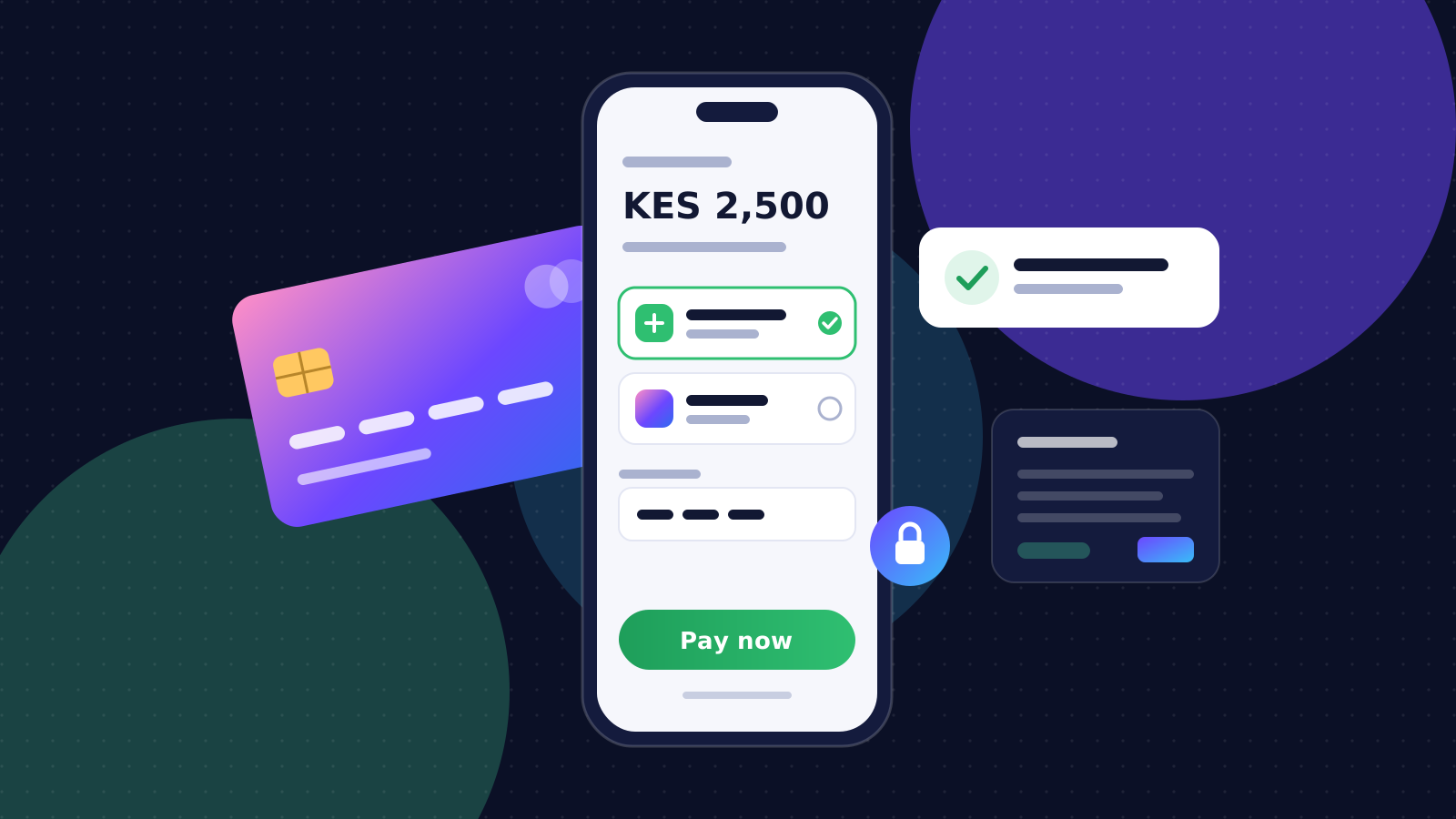
The fastest way to lose a sale is to make paying difficult. A customer who has chosen a product, filled in their details and reached the checkout is ready to buy. Anything that confuses, delays or worries them at that moment costs you money. Whether your customers prefer mobile money such as M-Pesa, cards or bank transfers, the checkout should feel like the easiest part of buying from you.
This checklist covers what to prepare before integrating payments, what a smooth checkout looks like, how payments should be confirmed behind the scenes, and the mistakes we see most often.
Before you integrate
- Pick payment methods from your customers' habits, not your own. Look at how people pay you today in person, over the phone and on WhatsApp. For most Kenyan consumers that means mobile money first, with cards for corporate buyers and diaspora customers.
- Get your merchant accounts ready early. For M-Pesa that means a Paybill or Till number registered to the business; for cards, an account with a payment provider. Business registration, KYC documents and approvals can take longer than the build itself, so start them on day one.
- Decide who reconciles payments and where the records live: your accounting tool, your admin dashboard, or both. Agree what an "order paid" record must contain so finance and operations see the same thing.
- Know your fees and refund rules. Decide whether transaction fees are absorbed or passed on, and how refunds and partial payments are handled, before customers ask.
What a good checkout feels like
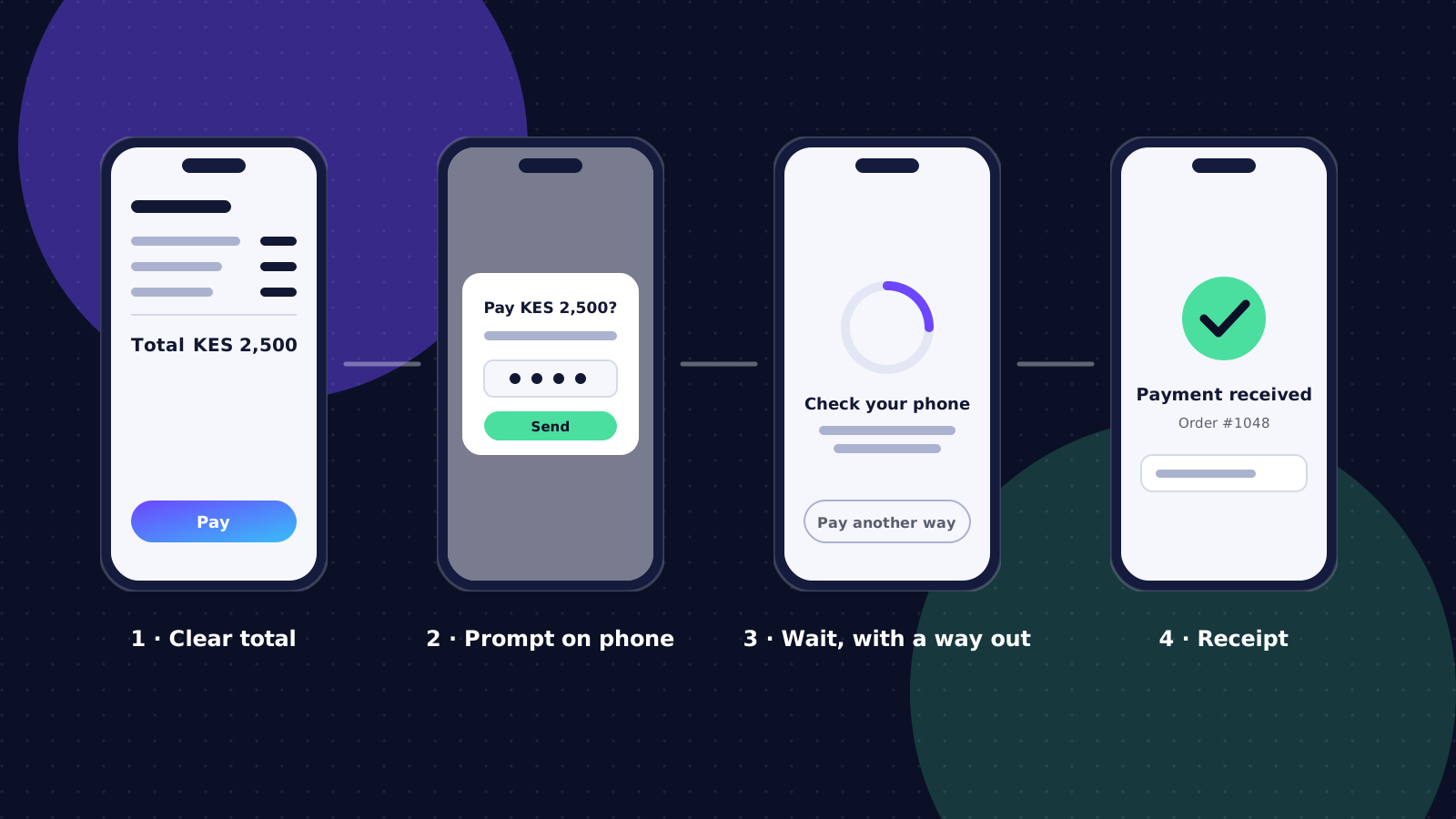
- The full total is clear before the customer commits, including delivery and any fees. Surprises at the last step are the biggest single cause of abandoned checkouts.
- Mobile money uses a prompt on the customer's phone (an STK push) instead of asking them to copy a Paybill number and account reference by hand. They confirm with their PIN and never leave your page.
- The page waits for confirmation and says what is happening: "Check your phone and enter your PIN." It offers a way out, such as "Pay another way", if nothing arrives.
- Success shows an order number and sends a receipt by SMS or email straight away, so the customer has proof without needing to call you.
- Failure explains what went wrong in plain words (insufficient balance, cancelled, timed out) and offers a retry or another method, without losing the cart.
How payment confirmation should work
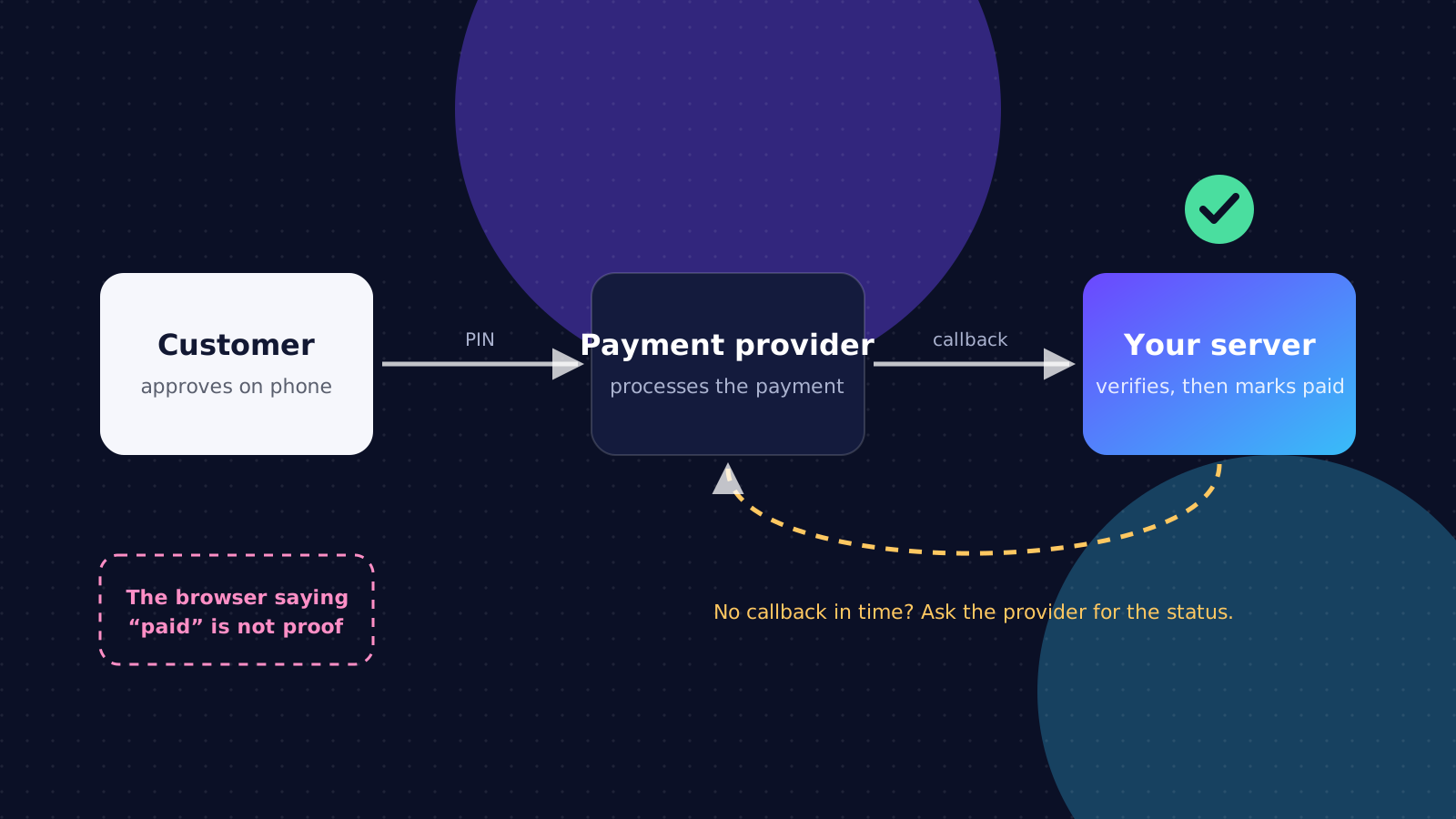
The most important rule in payments is simple: the browser is not proof that a customer has paid. A page saying "success" can be faked, closed early or lose its connection. The only reliable record is the one your server receives directly from the payment provider.
- When the customer approves the payment, the provider sends a callback to your server with the result.
- Your server verifies that callback: it matches the amount, the reference and the transaction you started, and ignores duplicates.
- Only then is the order marked as paid, and only then are goods released or services booked.
- If no callback arrives within a reasonable time, your server asks the provider for the transaction status rather than guessing. Most providers, including M-Pesa's Daraja API, offer a status query for exactly this.
Mistakes that cost sales
- Treating a payment as complete before the provider confirms it. This leads to goods released for payments that never happened.
- No handling for timeouts. The customer paid, but the page gave up waiting and told them it failed, so they pay again or walk away angry.
- Forcing account creation before checkout. Let people pay as guests and offer an account afterwards.
- Checkout pages that are slow or broken on older phones. Test on an inexpensive Android phone on mobile data, not only on office Wi-Fi.
- Unclear phone number formats. Accept 07…, 01… and +254… and normalise them, rather than rejecting the way most people type their number.
Security basics
- Never store card numbers yourself. Let a certified payment provider handle card details through their hosted fields or pages; it keeps you out of the scope of most card-security rules.
- Keep API keys and secrets on the server, never in the website's code or the mobile app, and rotate them if a staff member with access leaves.
- Verify every callback and only accept them on an HTTPS address you control.
- Log every transaction with its reference, amount, status and timestamps, so disputes and reconciliation take minutes rather than days.
- Protect customer data: collect only what you need, and follow the Kenya Data Protection Act on how long you keep it and who can see it.
Before you go live
Run through a short launch test with real, small payments: a successful payment, a cancelled one, one with insufficient balance and one where the customer simply ignores the prompt. Check that each produces the right message for the customer, the right status in your dashboard and the right entry in your records. Then test a refund end to end.
Get these right and payments stop being a worry. They just work, quietly, every time, and your team spends its energy on customers instead of chasing missing transactions.